Your Binance UID (User ID) is a unique numerical identifier assigned to your Binance account. It is used for account identification and related services. Follow the steps below to find your Binance UID.
Method 1: Via the Binance Website
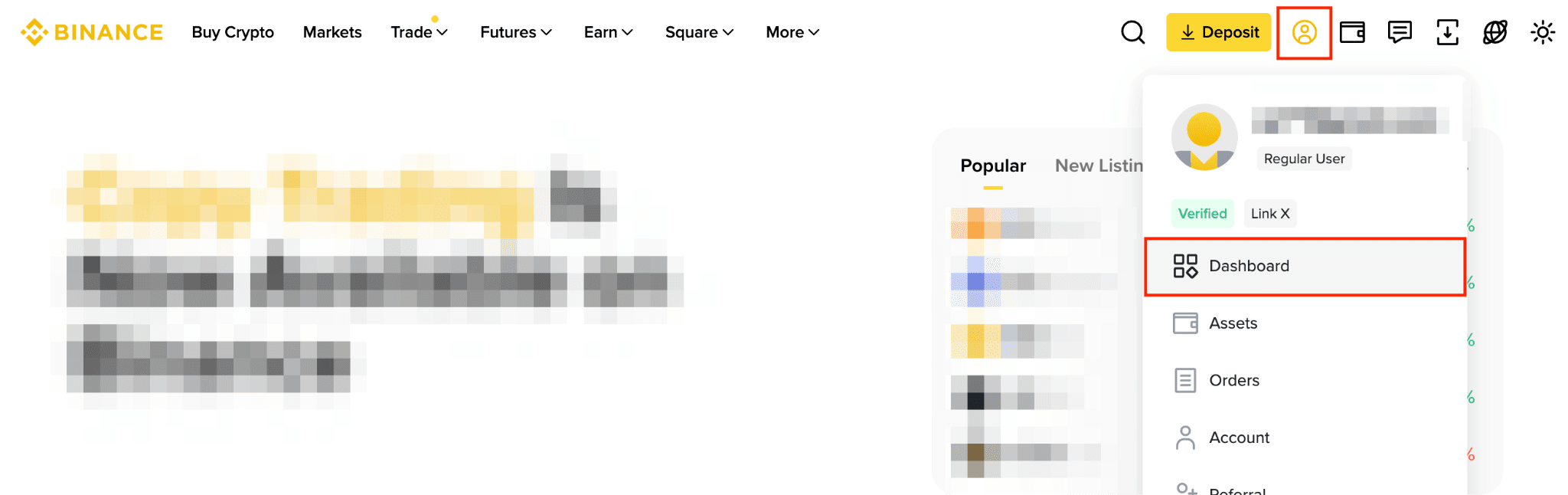
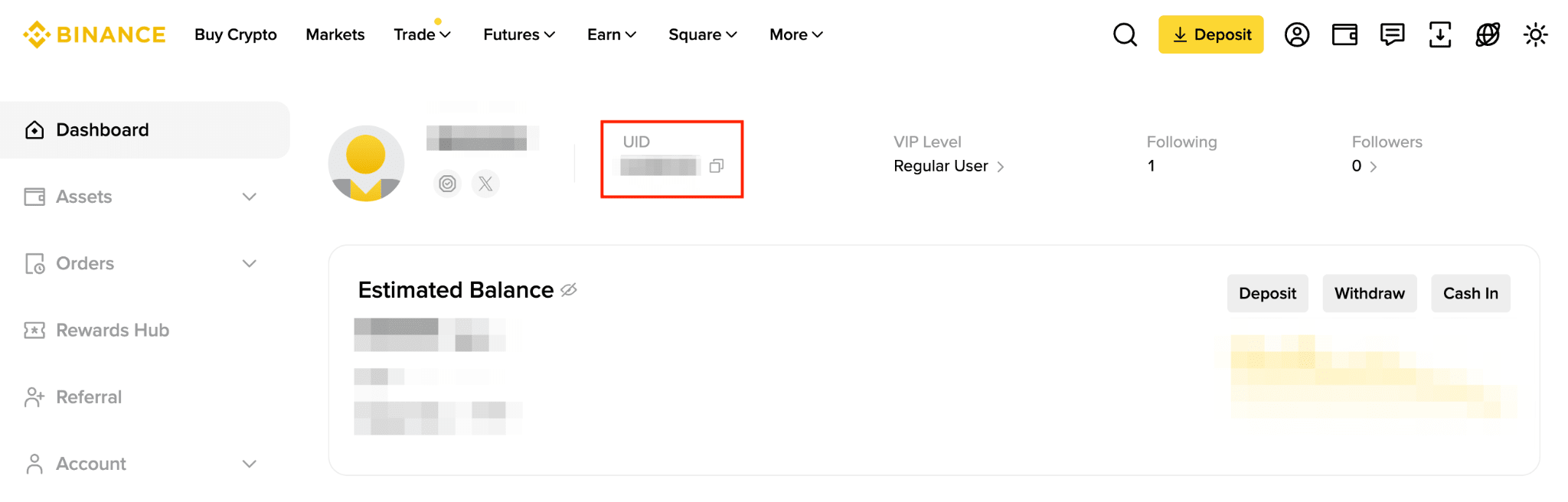
Log in to your Binance account, hover over your profile icon, and click Dashboard. Your UID will be displayed at the top of the page.
Method 2: Via the Binance App
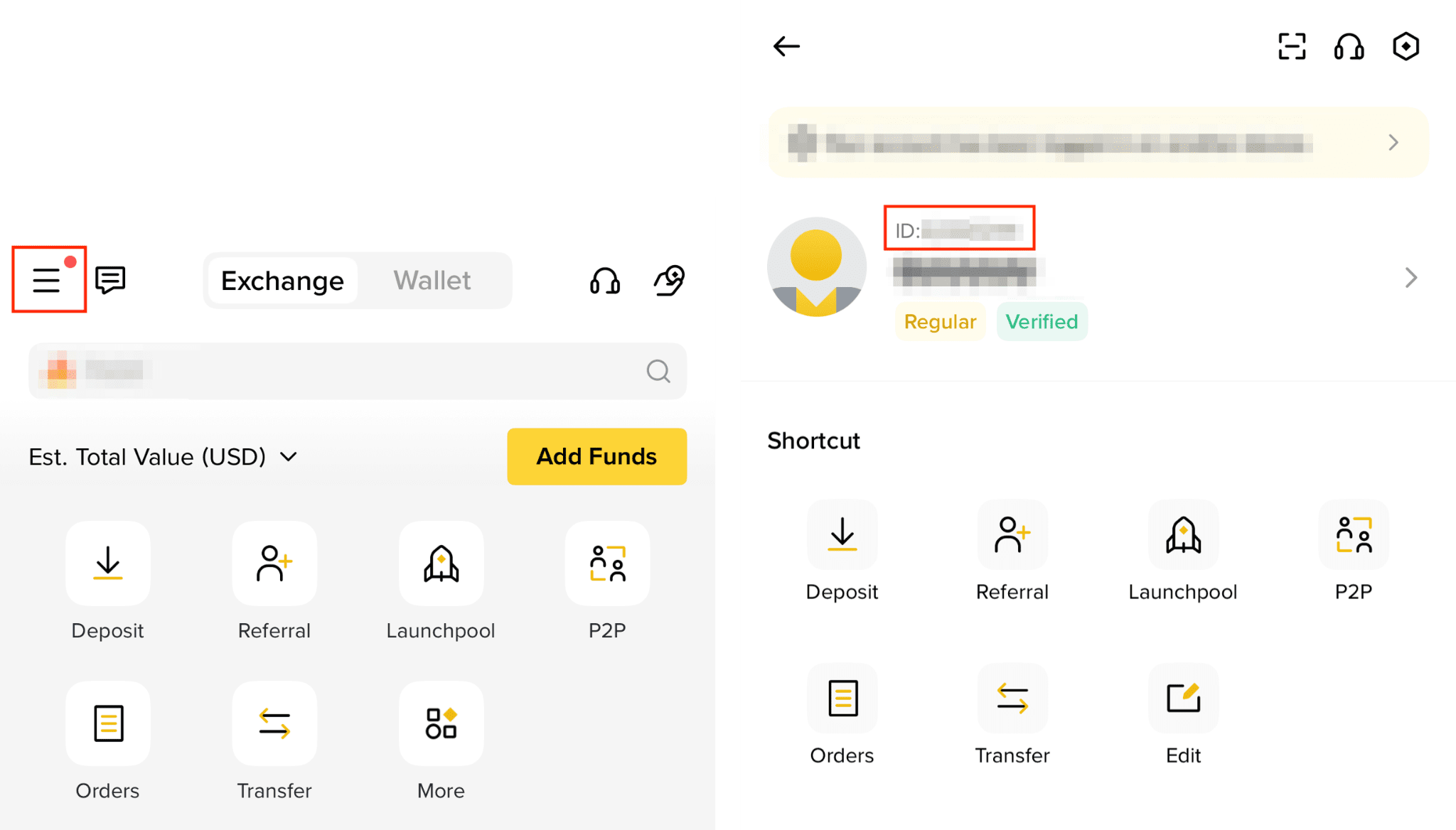
Open the Binance app and log in to your account. Tap the Account Center icon in the top-left corner. Your UID will be displayed above your nickname.
Important Notes
1、Your UID is a unique account identifier and is different from your wallet address. Please do not confuse the two.
2、Your UID typically consists of numbers. Make sure you copy it completely and accurately.