I.How to Set a Domain to "Abandon Renewal
The “Abandon Renewal” feature allows you to move domains that no longer need to be displayed in My Domains to the Abandon Renewal list.After the setting is applied, the selected domains will be removed from the My Domains list and managed uniformly in the Abandon Renewal list.
1、Go to “Control Panel” → “Domain Management” → “My Domains”.Select the domains you want to abandon renewal for, then choose Bulk Abandon Renewal from the Bulk operate menu.
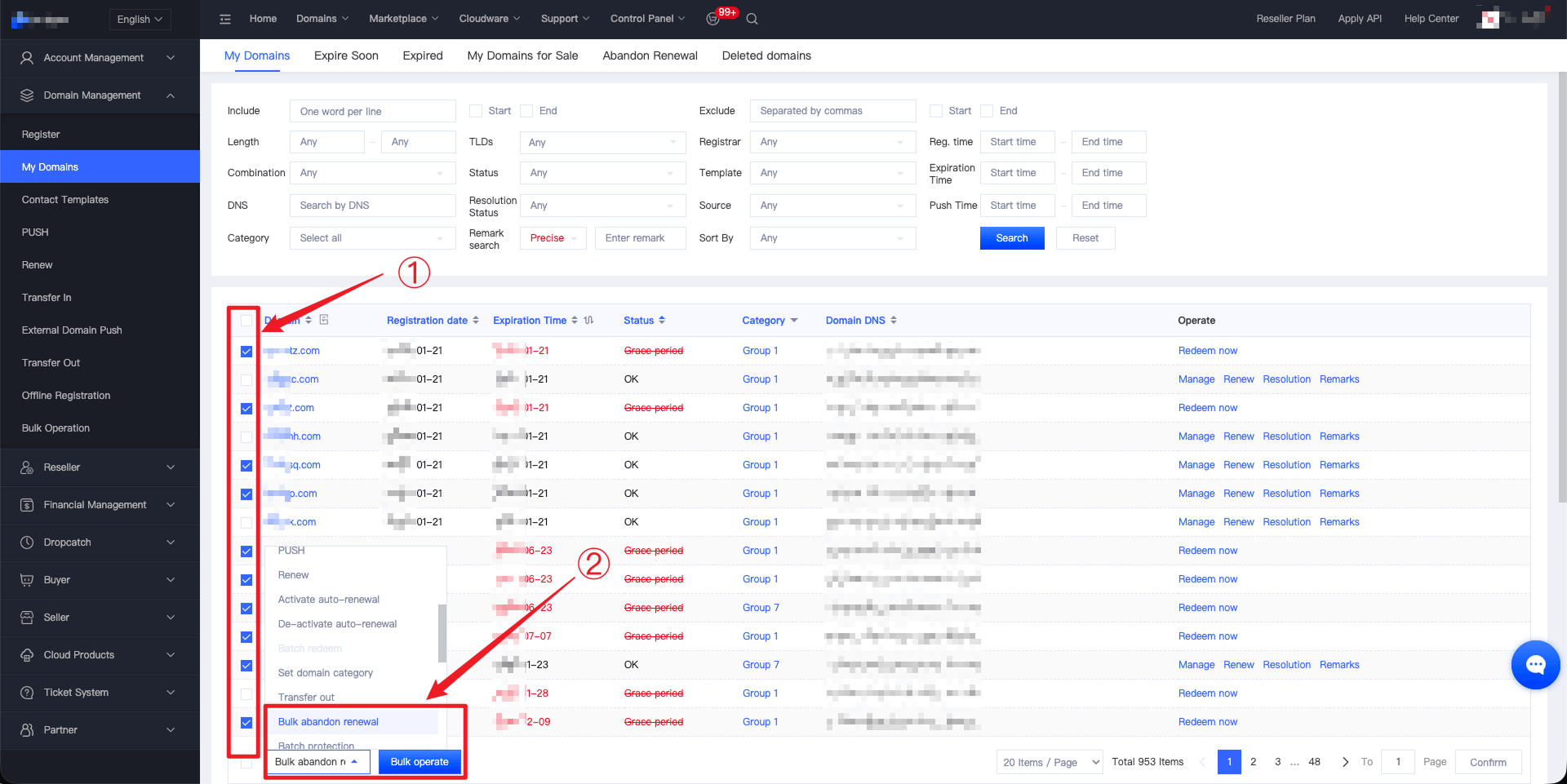
2、Click the “Bulk operate” button and confirm the submission of the selected domains to complete the abandon renewal setting.
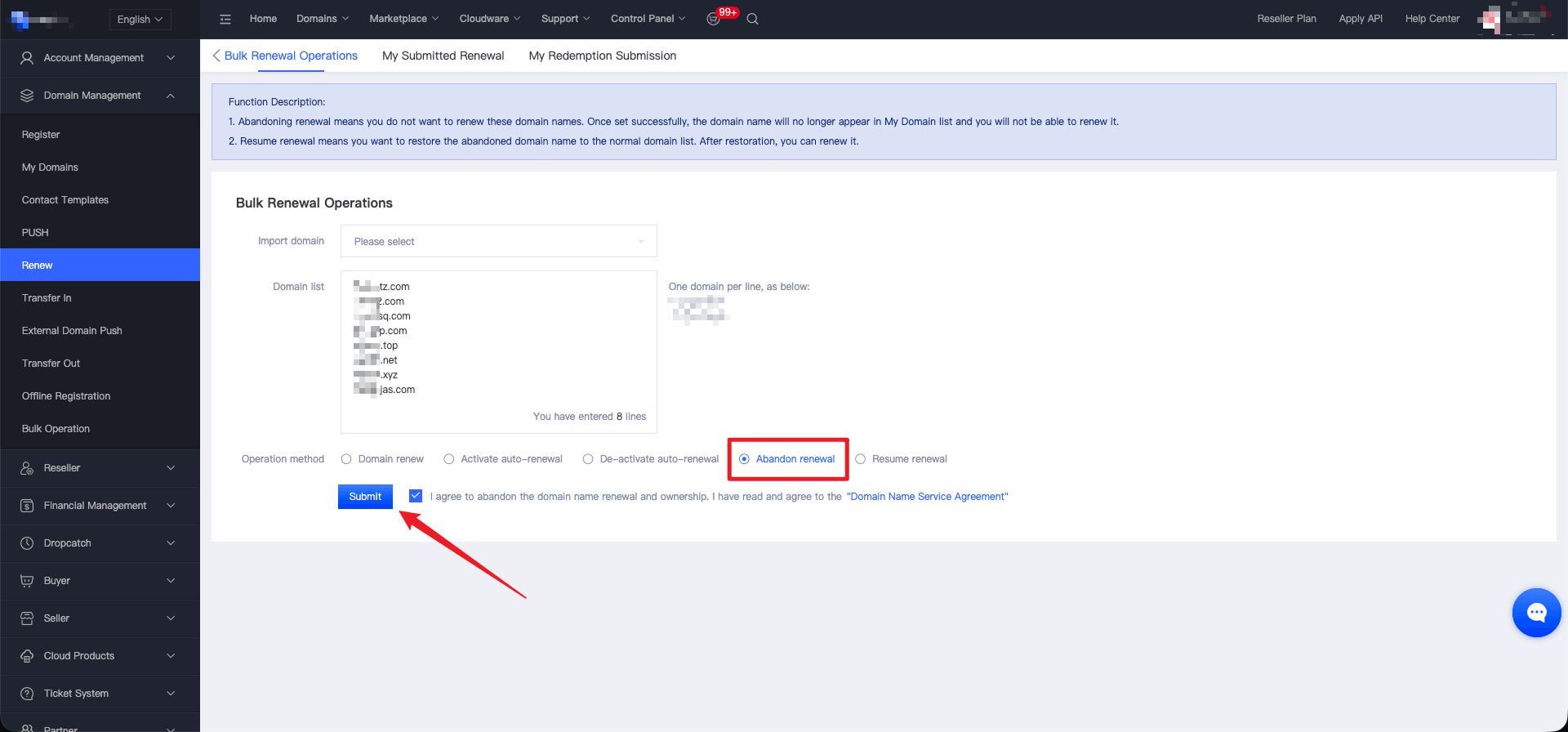
Notes:
- Please confirm that the domains no longer need to be displayed before proceeding, to avoid mistakenly processing important domains.
- If auto-renewal is enabled for a domain, setting it to abandon renewal will stop future auto-renewal charges. After expiration, the domain will follow the corresponding registry lifecycle rules.
- Domains with the status Protected do not support the abandon renewal setting. You must disable domain protection before proceeding.
II.How to Resume Domain Renewal
After enabling Resume Renewal, the domain will be transferred back to the My Domains list for normal management.
1、Go to“Control Panel”→”Domain Management”→”My Domains”→”Abandon Renewal”.Select the domains you want to restore, then choose Bulk Abandon Renewal from the Bulk operate menu.
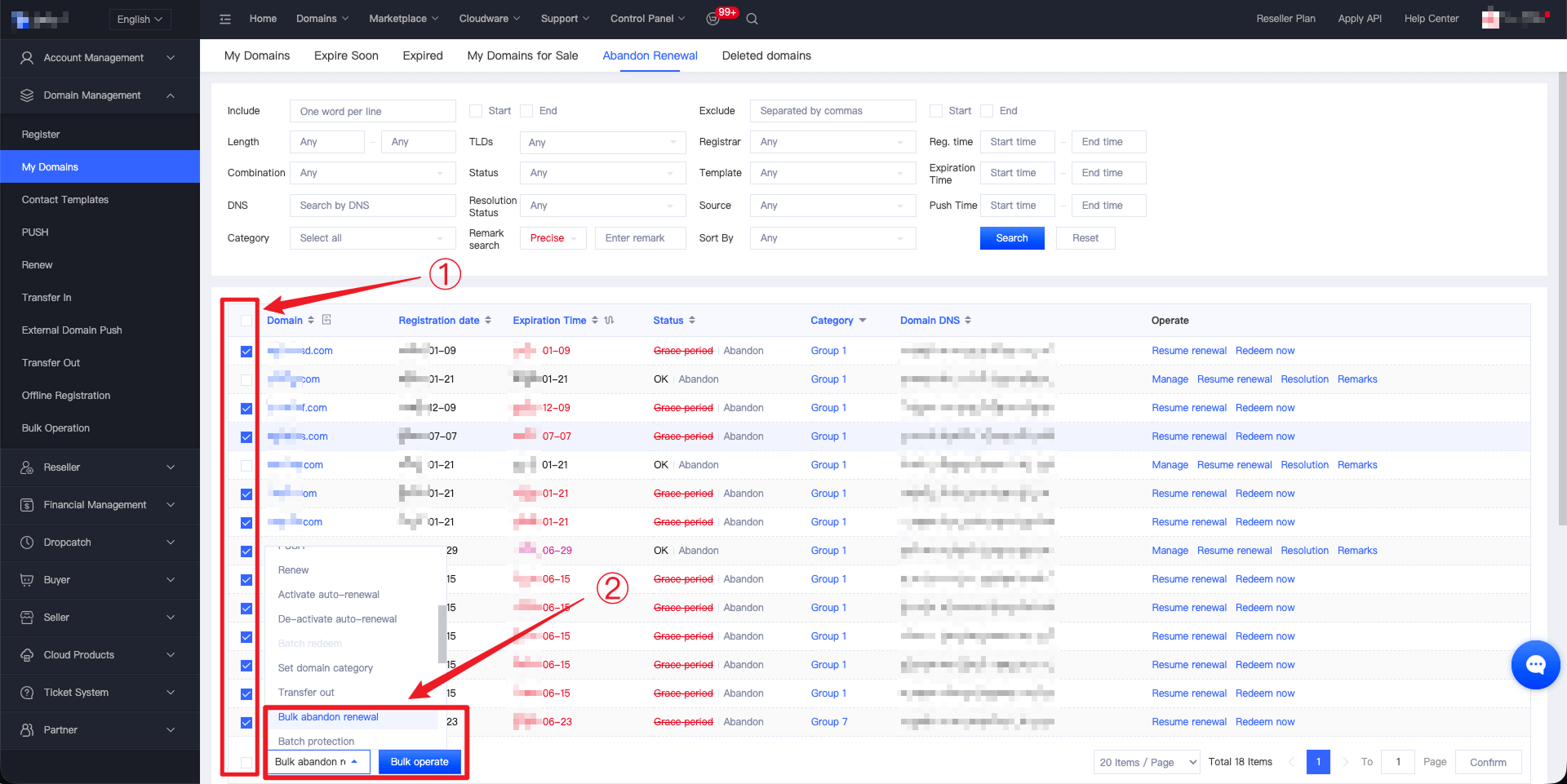
2、Click the “Bulk operate” button, select “Resume renewal” on the operation page, and confirm the submission of the selected domains to complete the restoration.
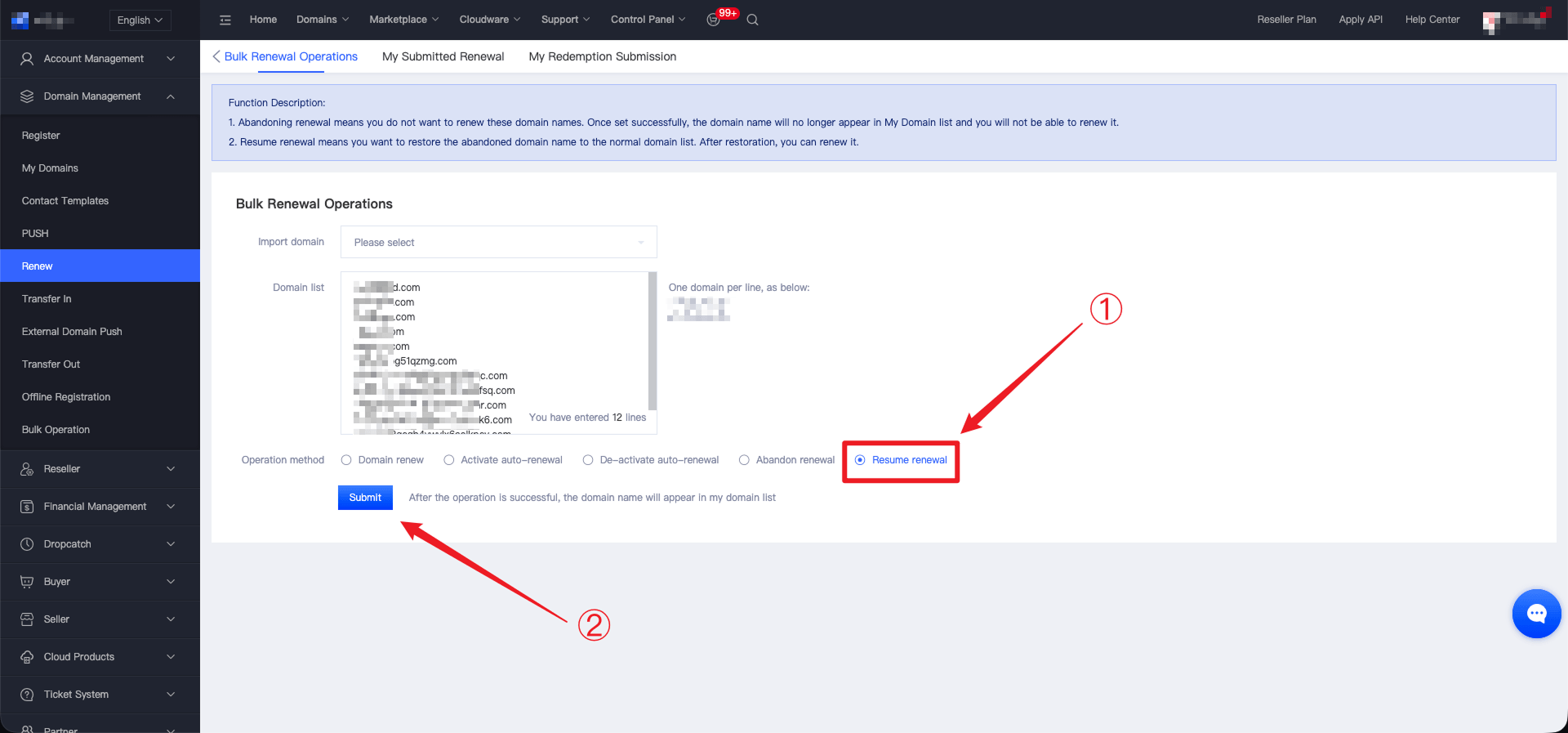
Notes:
- After renewal is restored, the domain will return to the My Domains list and resume normal renewal status.
- It is recommended to monitor the domain expiration date regularly to avoid service interruption caused by domain expiration.